
Pixel desktop mode.
Right on your Mac.
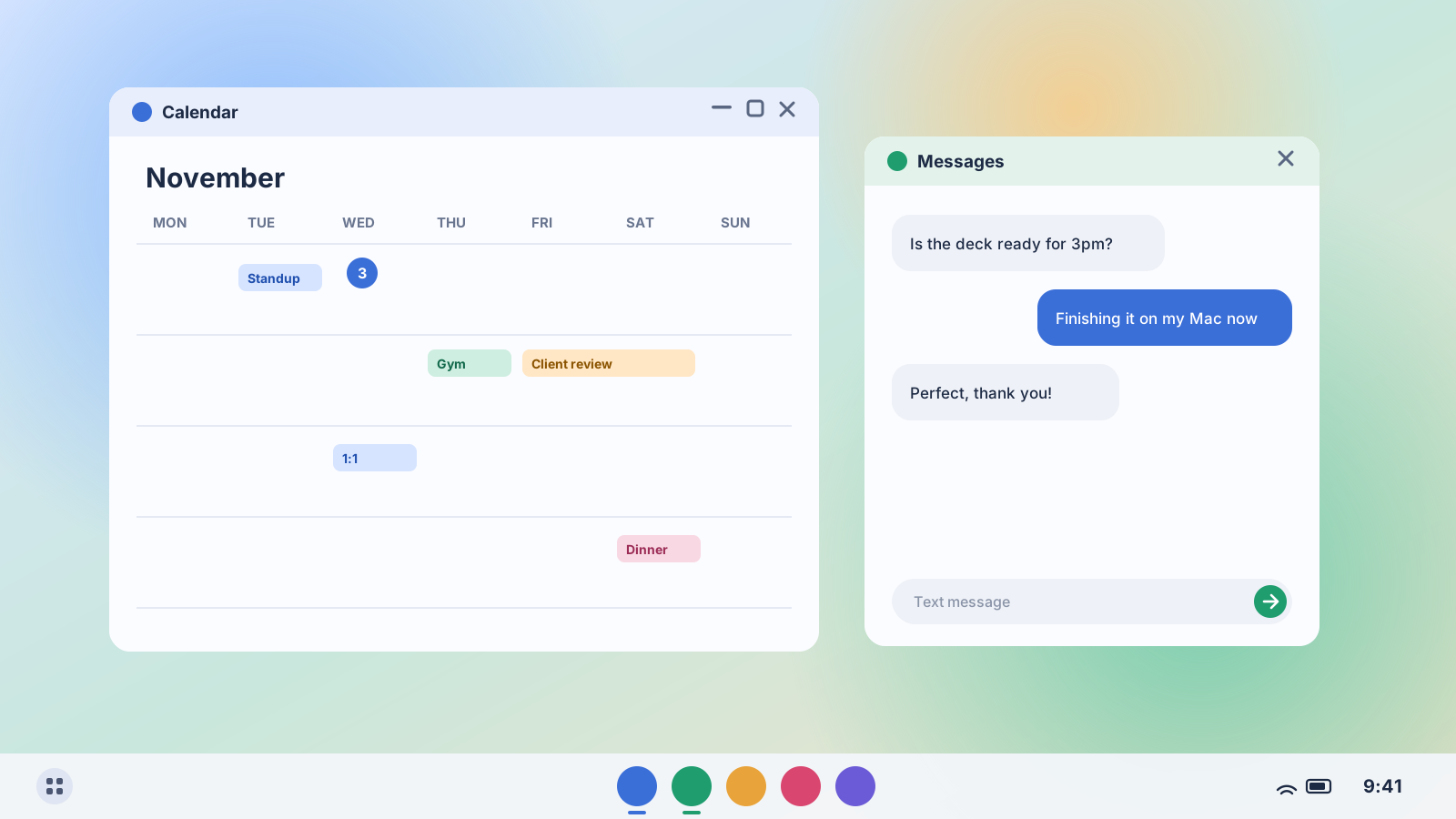
Plug in your Pixel and Android’s desktop mode opens in a Mac window: a taskbar, resizable app windows, and your Mac’s keyboard, trackpad and speakers. No monitor, no dock, no capture card.
Free 7-day trial, no card or sign-up · Pixel 8 or newer on Android 16 QPR3 or later · macOS 13+ on Apple silicon or Intel
Why a Mac needs help here
Since Android 16 QPR3, Pixels have a real desktop mode, but it only starts on an external display. Macs can’t act as a USB-C monitor, so plugging a Pixel into a MacBook just charges it.
Turn on USB debugging, once
A one-time switch in your Pixel’s Developer options. Steps below.
Plug your Pixel into your Mac
Deskbridge gives the phone a second display, and your Pixel starts desktop mode on it. If the phone asks how to use the new display, choose Desktop.
Work like you’re at a desk
Open apps in windows, snap them side by side, use the taskbar. Unplug and the window closes.
Everything you get on a Pixel
Google’s own desktop mode, running on your phone and shown on your Mac.
Opens when you plug in
Connect your Pixel and desktop mode appears in a Mac window. Disconnect and it closes.
A real desktop, not mirroring
Taskbar, app drawer, resizable windows. It runs on its own display, so your phone’s screen stays free.
Your Mac’s keyboard and trackpad
Type, click, drag and scroll in your Pixel’s apps. The pointer stays inside the window while you work. Press ⌘ to get it back.
Sized for your screen
Match your Mac’s display or pick 1080p, 1440p or 4K, in landscape or a tall portrait layout.
Apps in their own windows
Pop Messages, WhatsApp or any Pixel app into its own Mac window. Press ⌥⌘O and type its name.
Calls and notifications
See who’s calling and answer or decline from a Mac banner. Phone notifications land in Notification Center.
Phone audio on your Mac
Videos, music and calls play through your Mac’s speakers or headphones.
Drag a file into a message
Drop a file from Finder onto the window and it opens in the share sheet, or straight into the chat you have open.
Wireless, too
Pair once with Wireless debugging and use desktop mode without the cable.
Cheaper than a monitor. Pay once.
No subscription and no account. Try it free first to check desktop mode works on your Pixel, then keep it for $12.
Deskbridge
Plus applicable sales tax.
- Every feature, forever
- Works with Pixel and Samsung Galaxy phones
- All future updates included
- 7-day free trial to check your phone works
- 14-day refund, no questions asked
What Pixel desktop mode on a Mac costs
Secure checkout by Stripe. Your license key appears the moment you pay.
What you need
Two minutes of setup, one time.
A Pixel 8 or newer
Pixel 8, 9 and 10 series, including the Pro Fold models, on Android 16 QPR3 (March 2026) or later. Check under Settings › About phone › Android version.
A Mac on macOS 13+
Ventura or later, on Apple silicon or Intel.
A USB cable or Wi-Fi
Any USB-C cable that carries data, or wireless pairing on the same network.
Turn on USB debugging (one time)
- On your Pixel, open Settings › About phone and tap Build number seven times. Enter your PIN if asked.
- Open Settings › System › Developer options and turn on USB debugging.
- Plug your Pixel into your Mac. When it asks “Allow USB debugging?”, tick Always allow from this computer and tap Allow.
- If your Pixel asks how to use the new display, choose Desktop (and “Don’t ask again”).
Questions, answered
Is this Google’s real desktop mode?
Yes. Deskbridge doesn’t imitate it. It turns on Android’s built-in second-display option, your Pixel starts its own desktop mode there, and Deskbridge shows that display in a Mac window.
Which Pixels work?
Pixels with Android desktop mode: Pixel 8 and newer, including the Pixel 9 Pro Fold and Pixel 10 Pro Fold, on Android 16 QPR3 or later (Android 17 included). Older Pixels and other Android phones get screen mirroring instead.
Why is it labeled beta?
Pixel support is new in Deskbridge 1.4, and Google is still changing desktop mode with each update. If it doesn’t behave on your phone, switch off Use Pixel Desktop Mode in the menu to go back to plain mirroring, and email us. You also have 14 days to get a refund.
Why is my pointer stuck in the window?
Desktop mode on a Pixel needs a proper mouse to move and resize windows, so Deskbridge connects your trackpad as one. While you’re in the window, the pointer stays there. Press ⌘ to release it.
Something small appeared on my phone’s screen. What is it?
Android shows a small preview of the second display on the phone while it’s on. It goes away when you close the Deskbridge window or unplug and reconnect.
Do I need a USB-C monitor or capture card?
No. Everything goes over the USB cable you already charge with, or over Wi-Fi.
Does my data go anywhere?
No. There’s no Deskbridge account and no cloud service. Your screen, audio and files go straight between your phone and your Mac. See the privacy policy.
I have a Samsung Galaxy too. Does it work?
Yes. On a Galaxy with One UI 8 or later, Deskbridge opens Samsung DeX on your Mac. One license covers every phone you use with your Mac.
Is Deskbridge made by Google?
No. Deskbridge is an independent app by Elco Dev that works with Android’s desktop mode. It’s built on scrcpy, the open-source screen tool.
Turn your Pixel into a desktop on your Mac.
Plug in free and see it work. Then $12, once, for good.