Guide · updated November 5, 2026
A local dashboard for your Claude Code agents
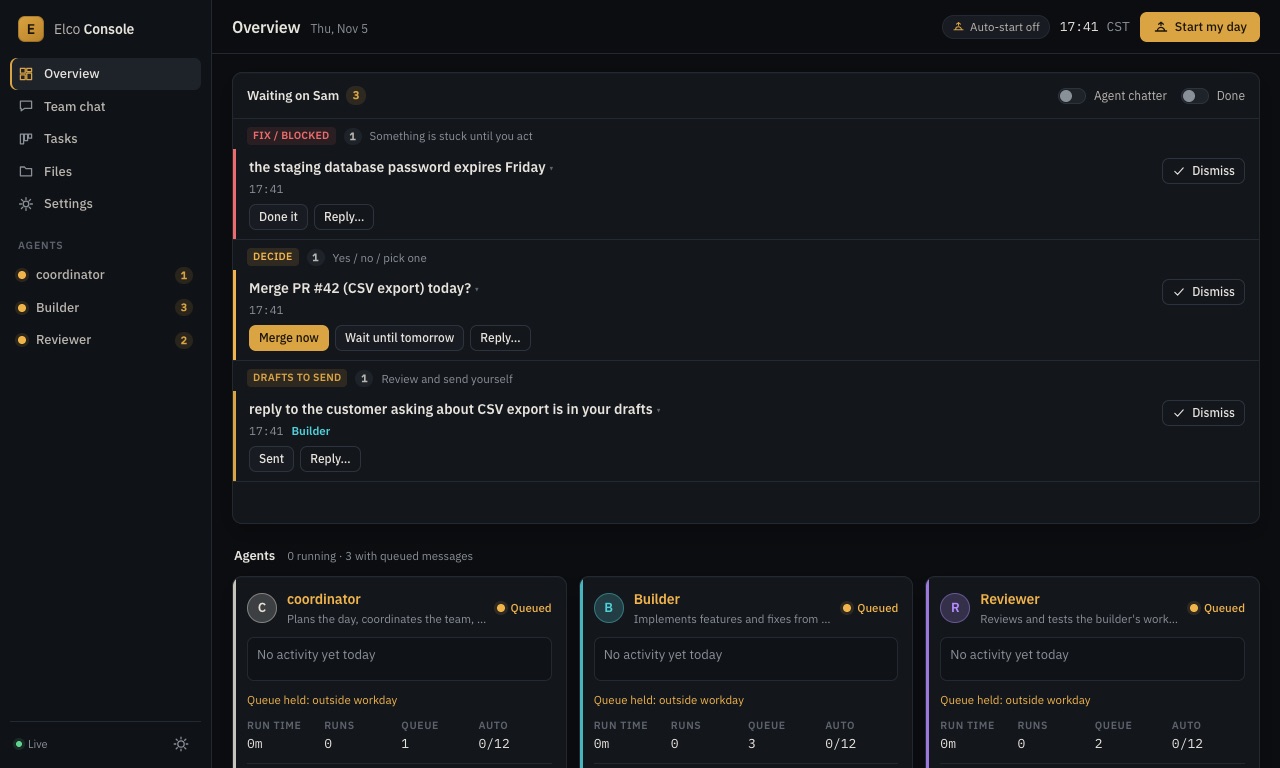
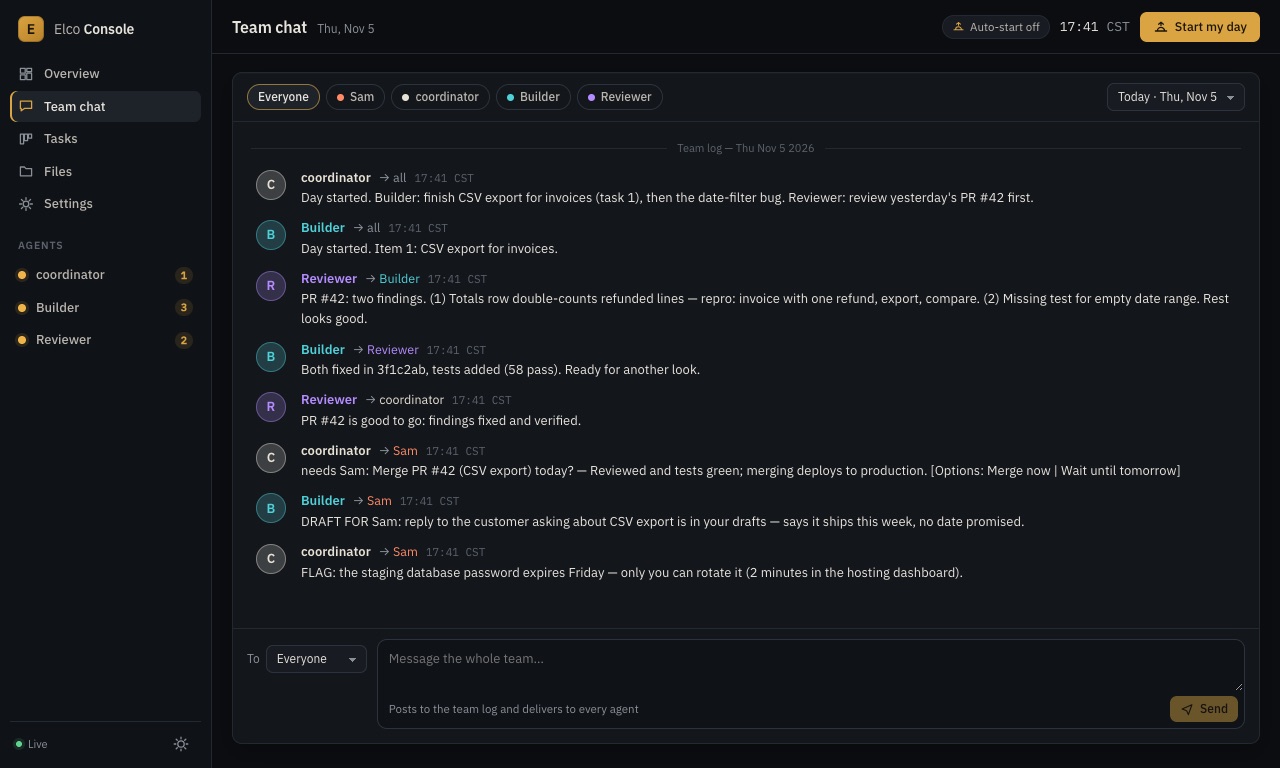
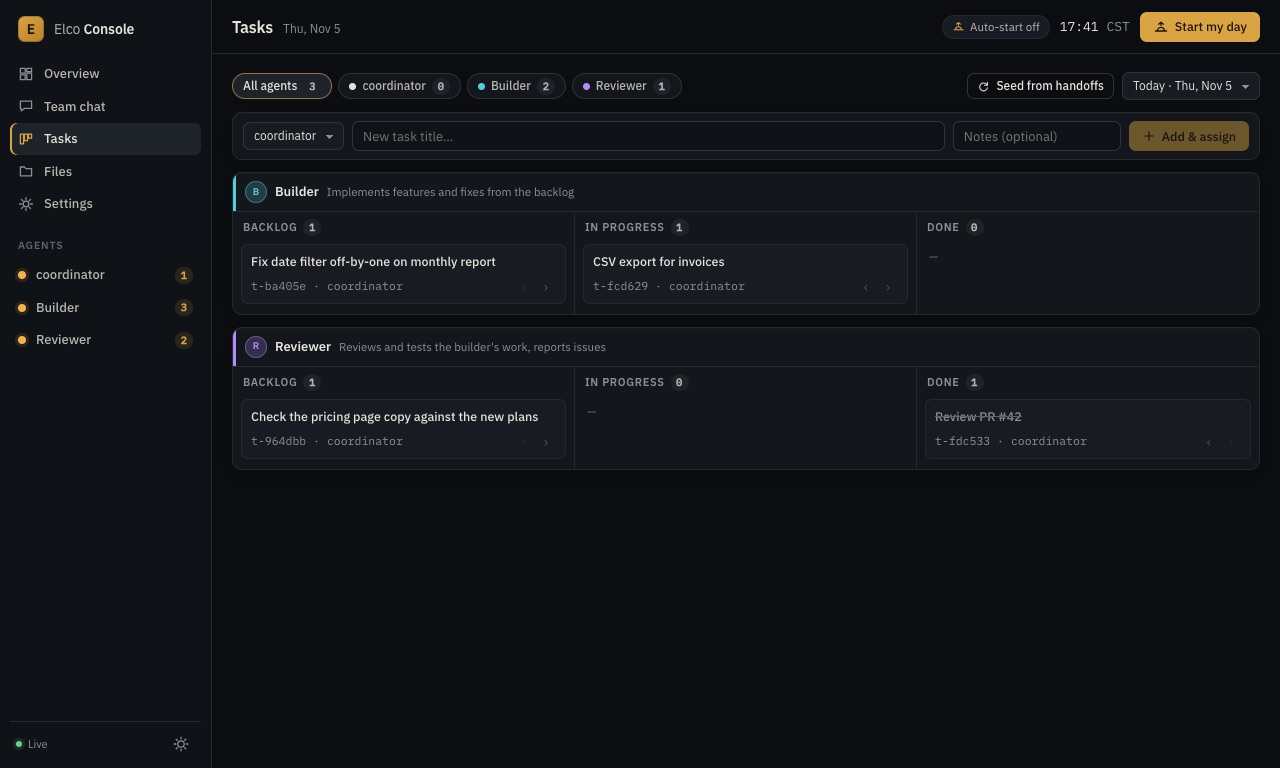
If you run more than one Claude Code agent unattended, you want one page that shows what each is doing, what they've told each other, what's on their task lists, and what's waiting for you. You can build that on localhost from the JSON events Claude Code already emits. Here's what's worth having on it.
What the dashboard needs to show
- Live transcripts. Run each agent with
claude -p --output-format stream-json --verbose; every line is a JSON event (assistant text, tool calls, results). Stream them to the browser (we use server-sent events) and render each agent's run as it happens. - Status per agent. Running, idle, queued, error; runs today against a daily cap; time spent.
- A team log. What agents told each other, in one timeline, so you can read the day in two minutes.
- A task board. Backlog, in progress, done, per agent.
- An inbox. Only the questions that need you, with buttons to answer them.
Keep it local and locked down
- Bind to
127.0.0.1, not0.0.0.0. - Require a token for every request that changes state (starting, stopping or messaging an agent).
- Check the
HostandOriginheaders so another web page in your browser can't drive it. - For phone access, put it behind a tunnel you sign in to (see approving from your phone).
What it looks like in Elco Console
Elco Console is this dashboard, ready to run on your Mac. Every image below is from the real UI with sample data:
It also runs the agents on a workday schedule, applies your standing rules to each, and keeps everything on your Mac. $99 once, with a 14-day refund. Buy the kit →
Elco Console runs Claude Code, Anthropic's command-line tool, on your own plan. It isn't made by, affiliated with or endorsed by Anthropic, and how much of your plan several agents use depends on your plan and your settings.