Elco Console · self-hosted kit for Mac
Run your Claude Code agents like a small team: on a schedule, with one inbox for the decisions only you can make.
A local Mac console that runs your own Claude Code sessions as named lanes, keeps them working through your workday, and puts their questions in one place you can answer from your phone.
Uses your own Claude plan; Anthropic bills your usage to you. Mac only. Not made by or affiliated with Anthropic.
elco-msg and elco-task commands agents use.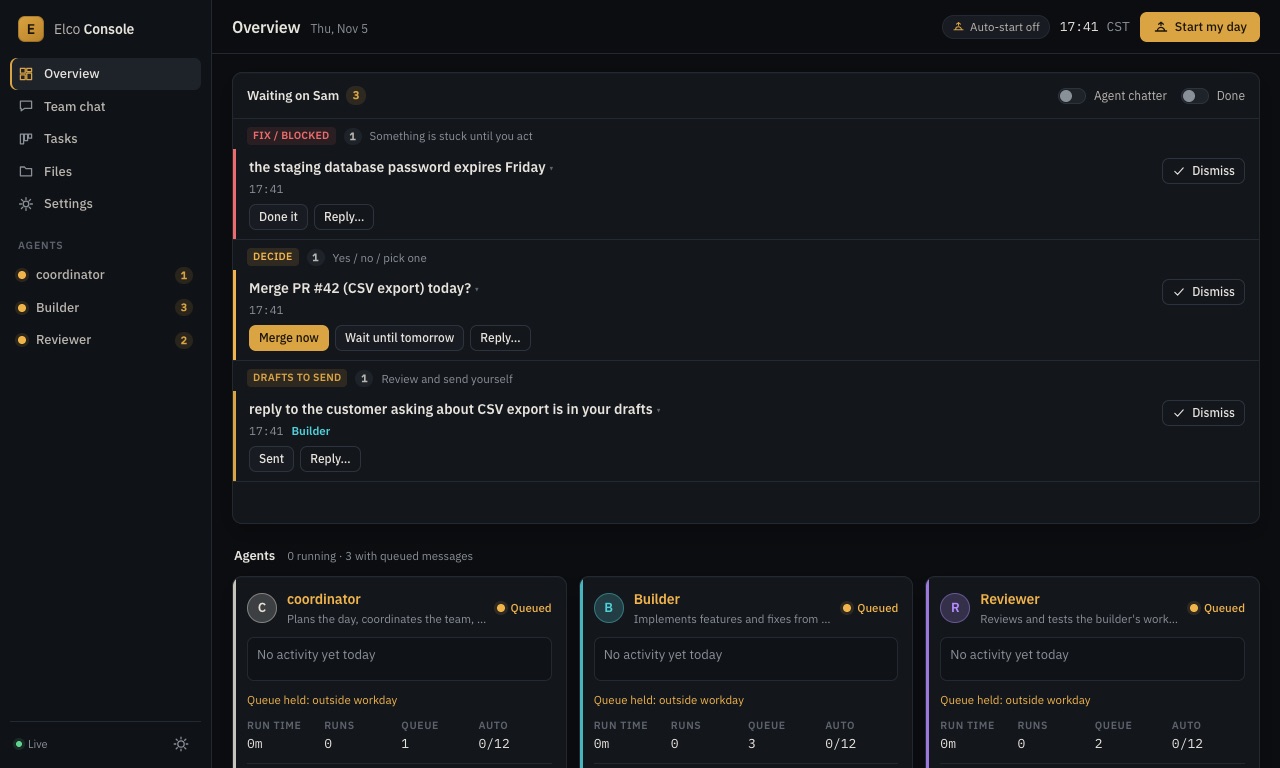
A workday that runs itself
Agents start at the hour you set, continue on their own between tasks, respect a daily cap per agent, back off after errors, and wrap up with a written handoff before your day ends. Tomorrow's run starts from that handoff.
Lanes with rules
Each agent gets a persona, a working folder and your standing rules ("drafts only, never send"; "never push to main"). A shared team log and a per-day task board keep them out of each other's way, and messages between agents are delivered when the recipient's current run ends.
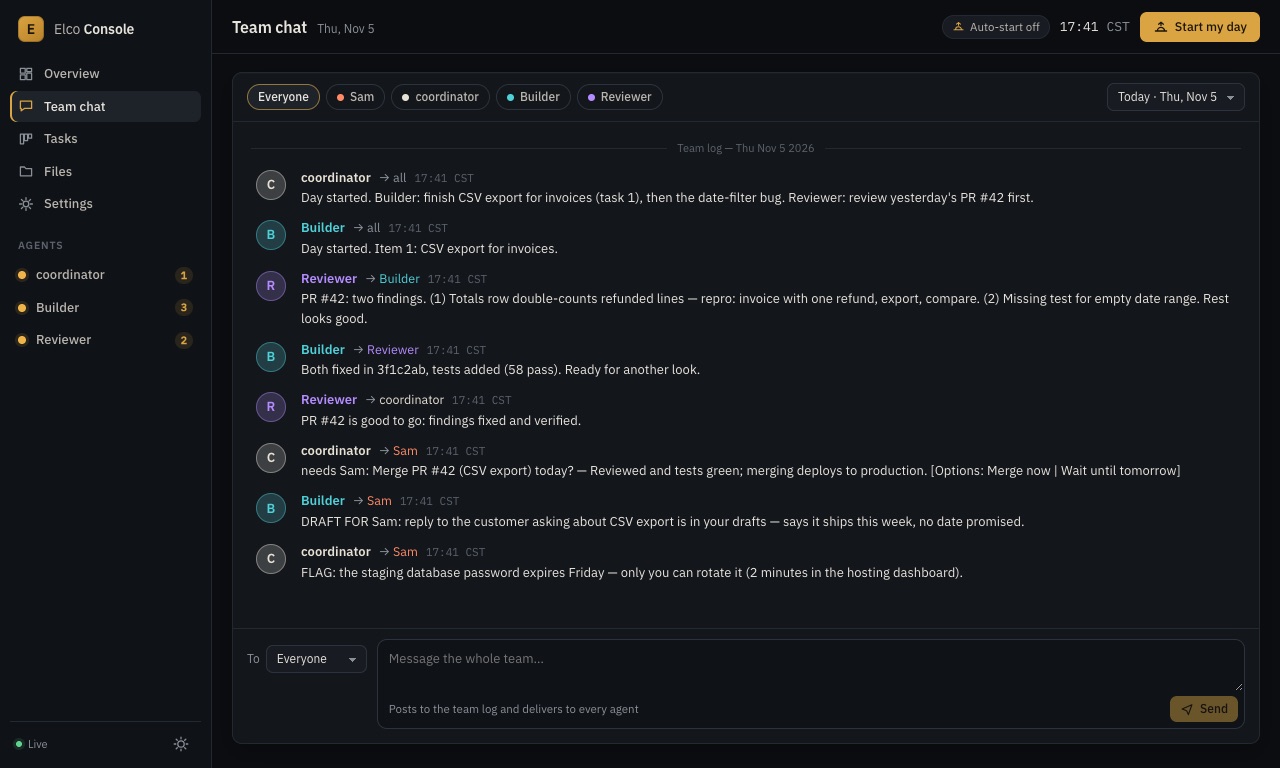
One inbox for you
When an agent needs you, its ask shows up as a one-line item with Yes/No or option buttons. Your tap goes back to the agent that asked. Everything else stays out of your way: live transcripts are there when you want to watch.
How it works
- Install it (Node 22) and run
npm run init: your name, hours, timezone and project folders. It checks that Node andclaudeare installed. - Add lanes: start from the three sample personas (coordinator, builder, reviewer) and write your own rules.
- Start your day, or let it start itself, then watch transcripts live and clear your inbox.
What you get
- The full source of the console (server, web UI,
elco-msgandelco-taskCLIs), ready to run on your Mac. - Three starter personas and a standing-rules template.
- A setup guide: install, the LaunchAgent that keeps it running, and an optional recipe for reaching it from your phone through your own authenticated tunnel.
- Updates to version 1.x.
Elco Console kit
$99 one-time. Use it for yourself and your own business, commercial work included. Please don't redistribute it.
You get the download right after payment. If it doesn't work for you, email within 14 days for a full refund.
Learn more
- The docs: setup, personas, task board, team log, permissions, phone access.
- Run Claude Code agents in the background on a Mac
- Set up a multi-agent Claude Code team
- Approve Claude Code decisions from your phone
- How it compares with Conductor, Claude Squad and amux
Requirements
- A Mac (Apple Silicon or Intel) that stays on during your workday.
- Node.js 22.
- Claude Code installed and signed in with your own Claude plan. Several agents running all day use more of your plan; you choose how many agents run and each one's daily cap.
Questions
Do I need an Anthropic API key?
No. The console runs the official claude command you've already signed in to, on your plan. It never sees or stores your credentials.
Will this use up my plan's limits?
Running several agents uses more of your plan. You control how many agents run and the daily auto-continue cap for each. Check your plan's limits before you scale up.
Is my code sent to you?
No. Everything runs and is stored on your Mac. There's no Elco Dev server in the loop.
Is this made by Anthropic?
No. It's an independent tool by Elco Dev that runs Claude Code. It isn't affiliated with or endorsed by Anthropic.
Do agents get full permissions?
Not by default. Agents can edit files in their folders and run the commands on an allow-list you control (the team CLIs, git, your test commands). Letting them skip every permission prompt is an explicit setting, with a warning, and your choice.
How do I reach it from my phone?
Optional. The guide shows how to put it behind your own authenticated tunnel. By default it only listens on your Mac.
Refunds: email support within 14 days of purchase for a full refund.