Guides ›
A mobile grooming app for Android
Updated November 12, 2026
Most mobile groomers run the business from the phone in their pocket, and plenty of those phones are Android. Clipped is on Google Play as well as the App Store, with the same account and the same data on both. Here is what it looks like on Android.
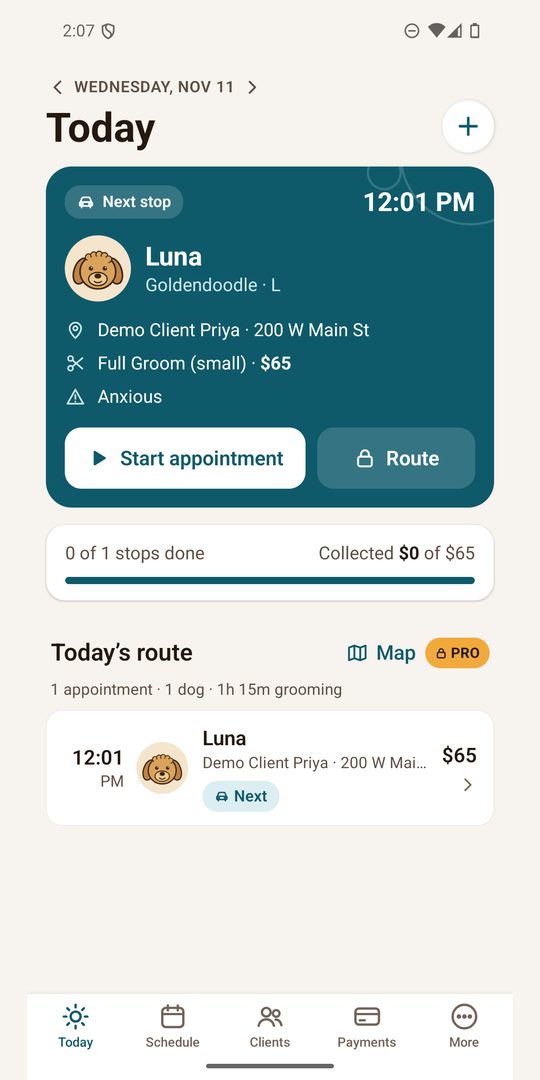
Today: the next stop, first
The Today screen opens on your next appointment: the pet, the client’s address, the service and price, and notes like “anxious”. Tap Start appointment when you pull up. Under it you see how many stops are done and how much you have collected so far.
The schedule
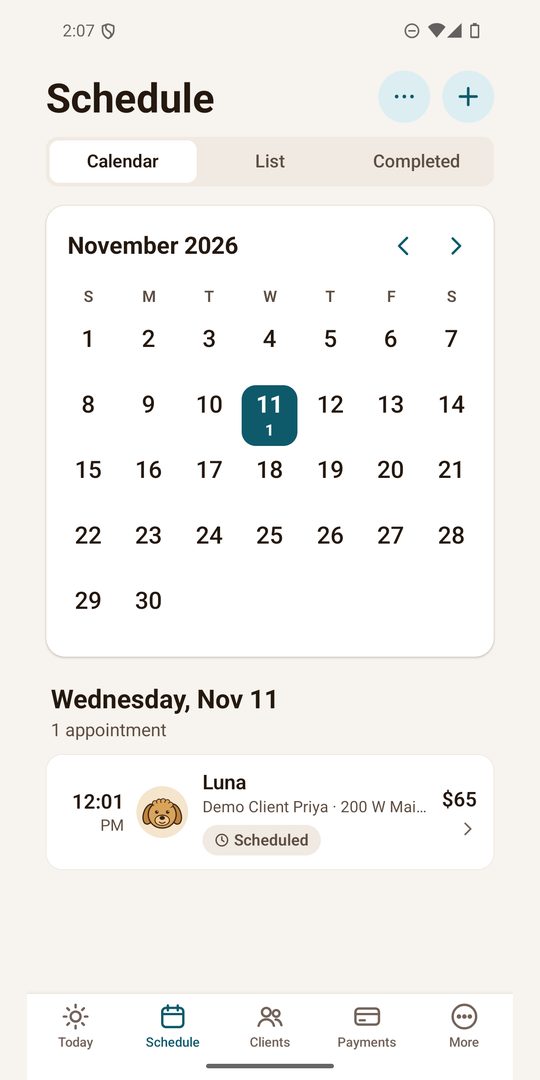
The Schedule tab has a month calendar, a list view and the appointments you have completed. Tap a day to see its appointments with times, pets, addresses and prices.
Clients and pets
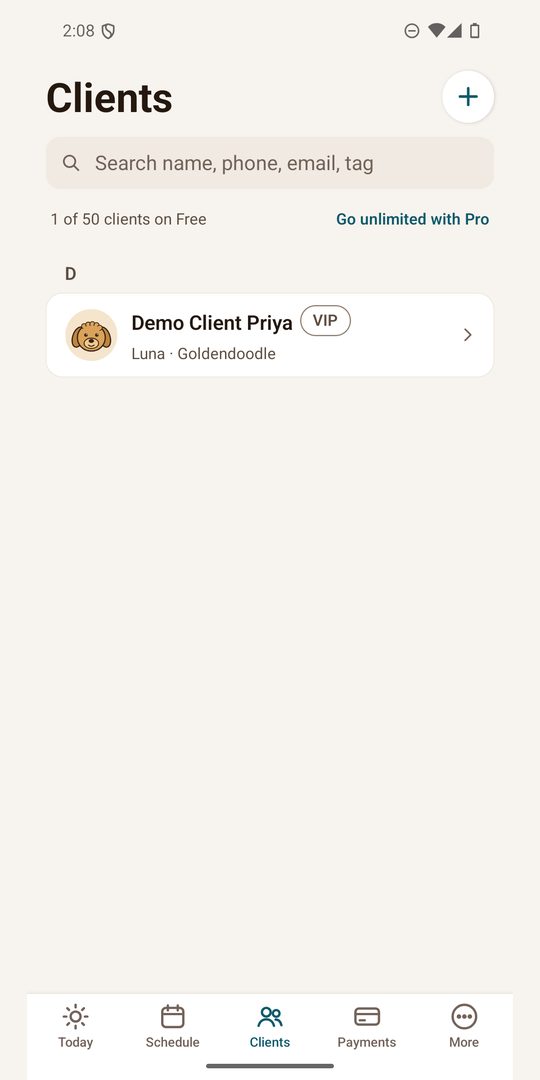
Search clients by name, phone, email or tag, and open a client to see their pets. Each pet keeps its breed, size, notes and photos from past visits. The free plan has a client limit; Pro removes it.
Getting paid
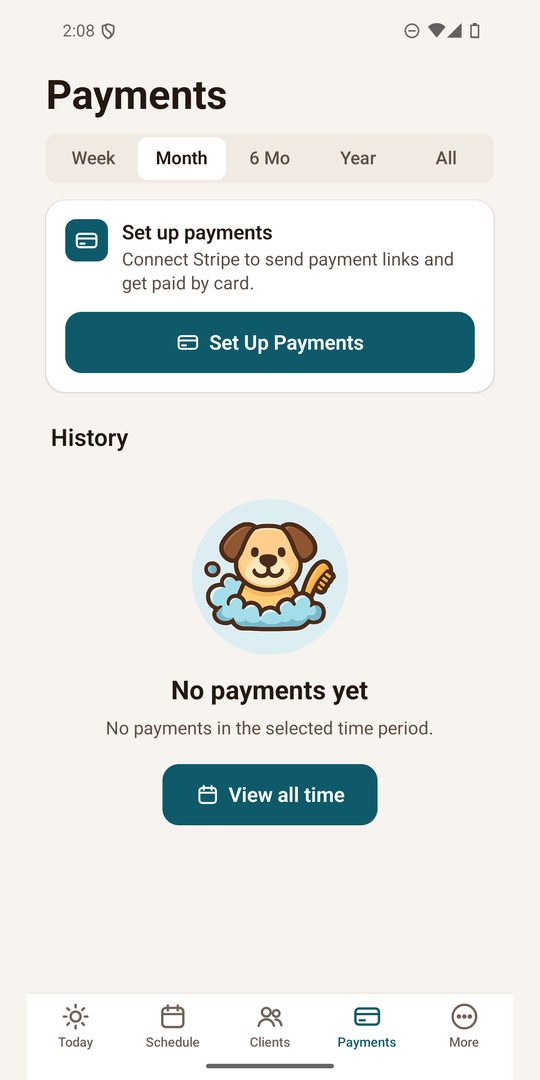
Connect your Stripe account once, then send a client a payment link or show a QR code at the door. The money goes to your Stripe account. On the free plan Clipped adds a 3.5% fee to card payments taken through Clipped; Pro has no Clipped fee. The Payments tab shows what came in by week, month, six months, year or all time.
What Pro adds
Pro removes the client limit and adds more photos, the route map with drive times, advanced scheduling and reports. It is $9.99 a month or $79.99 a year in the US, with a 7-day free trial for new subscribers. Clipped shows your stops on a map with the drive between them; it does not reorder your stops for you, so plan the order when you book (see route planning).
Android and iPhone
- One account on both. Sign in on the second phone with the same account and your clients, pets and appointments are there.
- Signing in on Android: use Google or an email and password. Sign in with Apple is only on iPhone, so if you want to use both phones, sign up with Google or email.
- Pro on Android is billed by Google Play. If you already have Pro, sign in with the same account and tap Restore Purchases on the Pro screen. To cancel, open the Play Store, tap your profile icon, then Payments & subscriptions › Subscriptions › Clipped.
Clipped is free to start on iPhone and Android.
Clipped: the app for mobile groomers
Clients and pets with photos, your day on a calendar and route map, and payment by link or QR code. Free to start on iPhone and Android.
Download on the App StoreGet it on Google PlayMore guides
- How to start a mobile dog grooming business
- How to price mobile dog grooming
- Dog grooming software: what a mobile groomer actually needs
- A groomer app for the van: how to run the day from your phone
- Mobile grooming route planning: fewer miles, more grooms
- How to take card payments as a mobile groomer
- Grooming client records: what to keep on every client and pet